

Have you ever found yourself fidgeting in your office chair, desperately wishing it could just be a bit higher or lower? The unsung hero lies beneath your seat—the office chair lever. This guide dives into the crucial topic of “How to Raise and Lower Office Chair with Lever.”
In the hustle of our daily work lives, the often-overlooked hero of ergonomic comfort is the office chair – a silent partner that can significantly impact our productivity and well-being. The ability to seamlessly adjust your chair height is a game-changer, influencing posture, reducing fatigue, and enhancing overall work satisfaction.
No more discomfort, no more settling for a less-than-ideal seating arrangement. With a few simple moves, you’ll be in control, making your workspace not just a place to work but a zone of customized comfort. Get ready to say goodbye to chair-related woes and hello to a whole new level of ergonomic satisfaction!
Understanding Your Office Chair Lever

Understanding the mechanics of your office chair lever is important for making a comfortable and ergonomic workspace. The lever, typically located beneath the seat on the right side, is a versatile tool that empowers you to customise your chair to your unique preferences.
The lever in an office chair serves a pivotal role in facilitating height adjustments and, in some cases, additional ergonomic features. This height adjustment is crucial for ensuring that individuals can align their chairs with their desks, promoting proper posture and reducing the risk of discomfort or strain during extended periods of sitting.
In chairs with more advanced features, the lever may control functions like tilt or recline, allowing users to customize their seating experience further. Essentially, the lever is the key component that empowers individuals to adapt their office chairs to their unique comfort preferences, contributing significantly to a healthier and more ergonomic workspace.
Different types of Levers in an Office Chair

Office chairs come equipped with various types of levers, each designed to serve specific functions and enhance user comfort. Here are some common types of levers found in office chairs:
Height Adjustment Lever:
The height adjustment lever is a fundamental feature present in nearly all office chairs. Its primary function is to allow to raise or lower the seat to achieve an optimal height.
To adjust the height, you typically have to activate the lever, lift the body slightly off the chair, and move the seat to the desired position. Releasing the lever secures the chair at the selected height.
Proper seat height is crucial for maintaining good posture, aligning the chair with the desk, and preventing discomfort during prolonged periods of sitting.
Tilt Tension Adjustment Lever:
This lever is commonly found in chairs with a tilting mechanism. It controls the resistance or ease with which the chair tilts backwards.
You can adjust the tilt tension to match their preference by turning the tension knob or using the lever. This customization ensures a comfortable recline without feeling too stiff or too loose.
The tilt tension adjustment contributes to ergonomic comfort, allowing users to customise the recline of the chair to their liking, promoting relaxation during work.
Tilt Lock Lever:
Typically accompanying the tilt tension adjustment, the tilt lock lever allows users to lock the chair in a specific tilted position.
Once the desired tilt angle is achieved, you can engage the tilt lock lever to secure the chair in that position, providing stability and preventing further movement.
The tilt lock feature is valuable for tasks that may require a slightly reclined or forward-leaning position, offering flexibility in how you engage with the chair throughout the workday.
How to Raise And Lower Office Chair With Lever: Step-by-Step Guide
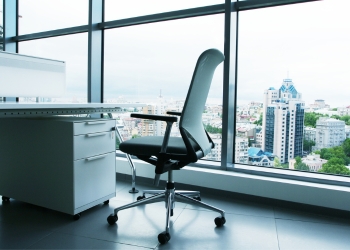
Mastering the art of raising and lowering your office chair with a lever is essential for creating a comfortable and ergonomic workspace. Follow these step-by-step instructions to make precise adjustments:
Raising Your Office Chair
Locate the Lever:
Discover the height adjustment lever, positioned conveniently beneath the seat on the right side. This unassuming lever holds the key to customising your chair for an ergonomic experience. This pivotal component is your gateway to personalized comfort.
Prepare to Adjust:
Before making adjustments, ensure you’re not currently seated. Leaning slightly forward or standing readies you for a smooth and effective height modification process.
Engage the Lever:
Firmly grip the lever, establishing a secure connection between your hand and the mechanism that controls the chair’s height. This physical connection signifies the commencement of a seamless transformation, allowing you to take control of your chair’s elevation.
Lift Your Body:
Elevate your body gently off the chair, all the while keeping the lever engaged. This action allows for seamless height adjustment. This nuanced movement ensures a smooth transition, contributing to the overall ergonomic refinement.
Adjust the Height:
With the lever in your control, set the chair’s height to your preference. Feel the satisfying alignment with your desk, as your workspace becomes an extension of your comfort and efficiency.
Release the Lever:
Release the lever to secure the chair at the desired height, ensuring a comfortable working posture. Your chair is now securely positioned at the chosen height, offering stability and the promise of sustained comfort throughout your workday.
Lowering Your Office Chair
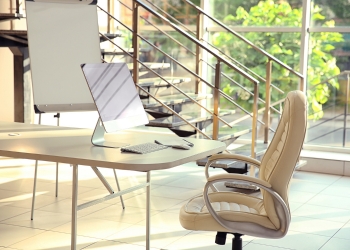
Stand Up:
Transition out of the chair by standing up. This deliberate action not only ensures freedom of movement but also sets the stage for a controlled and effortless lowering of the seat.
Activate the Lever:
Engage the lever by pressing it down. This will initiate the process of adjusting the chair’s height to a lower position.
Gently Push Down:
While maintaining control of the lever, delicately apply downward pressure on the seat, allowing the chair to smoothly descend to the desired lower height. This meticulous descent mechanism allows for a gradual and controlled lowering, aligning with your comfort preferences.
Adjust to Desired Height:
Lower the chair to your preferred height, paying attention to the positioning of your feet for optimal support. This personalized adjustment ensures that your chair serves your unique ergonomic requirements, promoting a natural and relaxed sitting position.
Release the Lever:
Release the lever, locking the chair in the lowered position. This step ensures stability and secures your chosen height adjustment for a comfortable and supported seating experience. This final step not only secures your chosen height but also guarantees the stability and reliability of your chair’s lowered position, promising sustained comfort and support.
The Ideal Sitting Posture and Optimal Chair Height for Your Task

Achieving the ideal sitting posture and determining the right height for your task are crucial elements for promoting comfort, preventing fatigue, and maintaining overall well-being during extended periods of work.
Ideal Sitting Posture: Sit back in your chair with your back straight and shoulders relaxed. Keep your feet flat on the floor and make sure to form a 90-degree angle at the knees. This helps distribute your weight evenly and minimizes pressure on the legs and lower back. Keep your shoulders relaxed and your elbows close to your body. This minimizes tension in the neck and shoulder muscles.
Position your computer monitor at eye level to reduce strain on your neck. Your eyes should be in line with the top of the screen, reducing the need to tilt your head up or down. This posture promotes spinal alignment, reduces fatigue, and minimizes the risk of discomfort during prolonged periods of work.
Right Height for Your Task: Adjust the height of your chair to align with the level of your desk or workstation. Your arms should comfortably rest on the surface, forming a 90-degree angle at the elbows. This ensures that you can work efficiently without straining your shoulders or wrists, minimizing strain on the wrists and promoting a natural typing position.
For tasks requiring precision or detail, a slightly higher chair height may be beneficial, while tasks involving extended periods of typing might necessitate a lower chair height. Regardless of your seated position, take regular breaks to stand, stretch, and move around. This prevents stiffness and enhances circulation.
Tips for Enhancing Your Workspace Comfort

Optimal comfort in your workspace is essential for productivity and overall well-being. Here are some tips for creating a workspace that prioritizes your comfort, leading to improved focus, productivity, and overall job satisfaction.
Adjust Chair and Desk Heights:
Ensure your chair and desk are set to the right height. Your feet should rest flat on the floor, and your knees should form a 90-degree angle. This alignment prevents strain and supports good posture.
Use Cushions and Supports:
Add cushions or lumbar supports to enhance the comfort of your chair. These additions provide extra padding and support to maintain a comfortable seated position.
Organize Workspace:
Keep your workspace organized to create a clean and clutter-free environment. This not only enhances comfort but also promotes focus and efficiency.
Take Regular Breaks:
Incorporate short breaks throughout the day to stand, stretch, and move around after every 30 minutes to 1 hour. This helps prevent stiffness and promotes circulation.
Use Proper Lighting:
Ensure your workspace is well-lit to reduce eye strain. Position lighting sources to minimize glare on screens and surfaces.
Invest in Quality Accessories:
Use a quality keyboard and mouse that are comfortable to use. Consider ergonomic designs to reduce the risk of repetitive strain injuries.
Personalize Your Space:
Add personal touches to your workspace, such as plants or decor, to create a positive and inviting atmosphere.
Stay Hydrated:
Keep a water bottle at your desk to stay hydrated. Proper hydration contributes to overall well-being and can help prevent fatigue.
Consider Alternative Workspaces:
If possible, explore alternative workspaces such as standing desks or comfortable seating areas. Variety in your work environment can prevent lack of interest and enhance comfort.
Key Considerations for Selecting an Office Chair

When looking for the perfect office chair, several factors are important for promoting comfort, productivity, and overall well-being. Consider the following key factors before making your decision:
Ergonomic Design:
Choose a chair with an ergonomic design that supports the natural curve of your spine. Features like lumbar support, adjustable armrests, and a contoured seat contribute to a comfortable sitting experience.
Adjustability:
Opt for a chair that offers multiple adjustment options, including height adjustment, recline, and tilt tension. This allows you to customize the chair to your unique body shape and work preferences.
Lumbar Support:
Adequate lumbar support is crucial for maintaining the natural curve of your spine. Choose a chair with adjustable lumbar support to prevent lower back strain.
Seat Depth and Width:
The seat should be deep and wide enough to accommodate your body comfortably. Choose a chair with an adjustable seat depth to accommodate various leg lengths. The width of the seat should also provide ample space for comfortable sitting.
Material and Padding:
Consider the material and padding of the chair. Breathable and durable fabrics are preferable, and the padding should provide sufficient support without being too firm.
Armrests:
Adjustable and padded armrests provide additional support for your arms and shoulders, reducing strain during prolonged periods of work. They should allow your arms to rest comfortably and be adjusted to the height of your desk.
Swivel and Casters:
A chair with a 360-degree swivel allows for easy movement, while smooth-rolling casters ensure seamless mobility. These features facilitate easy movement and access to different areas of your workspace.
Weight Capacity:
Ensure the chair has a weight capacity that accommodates your body weight. This ensures the stability and longevity of the chair.
Style and Aesthetics:
Consider the overall style and aesthetics of the chair to ensure it complements your workspace. While comfort is important, the chair should also fit the visual aesthetic of your office. A visually appealing chair can enhance the aesthetics of your office.
Adjustable Headrest (if needed):
If you prefer additional neck and head support, consider a chair with an adjustable headrest. This feature is especially beneficial for those who spend extended periods at their desks.
Budget:
Determine your budget range for an office chair. While quality ergonomic chairs can be an investment, there are options available at various price points.
Conclusion
Mastering the skill of adjusting your office chair’s height with a lever is important for creating a comfortable and ergonomic workspace. Whether aligning your chair with the desk for focused work or lowering it for a more relaxed posture, the lever becomes a tool for optimizing your workspace.
Achieving the ideal seat height is not merely a matter of convenience; it directly impacts your posture, productivity, and overall well-being during long work hours. By following the process of raising and lowering the chair, you can customize your seating experience to align with your body’s unique needs.
This not only promotes good posture but also enhances overall well-being during extended work hours. The lever, often overlooked, emerges as a powerful tool, offering the ability to customise the chair to the perfect height, unlocking a realm of personalized comfort and efficiency in the daily work routine. Embrace the versatility of the lever, and elevate not just your chair but your overall work experience.
Frequently Asked Questions
Can I adjust my office chair’s height while sitting in it?
It’s recommended to stand up slightly when adjusting the chair height. This ensures a smoother process and prevents unnecessary strain on the chair’s mechanism.
Are there any specific guidelines for adjusting my chair for tasks like typing vs. reading documents?
Yes, for typing, set your chair height so your elbows form a 90-degree angle. For reading documents, a slightly higher chair may provide better comfort, allowing you to maintain an upright posture.
Can I use a pillow instead of adjusting the chair for lumbar support?
While a pillow can provide temporary support, it’s advisable to use a chair with adjustable lumbar support for a more effective solution.
How often should I take breaks to stand and stretch during the workday?
Aim for short breaks every 30 minutes. Standing, stretching, or a quick walk can prevent stiffness and enhance overall well-being.
Is it necessary to consider the type of flooring when using an office chair with casters?
Yes, consider the flooring type. Hard casters are suitable for carpets, while soft casters are designed for hard surfaces like wood or tile, preventing damage and ensuring smooth movement.
Can I use a footrest instead of adjusting the chair height for a comfortable sitting position?
While a footrest can help, it’s advisable to adjust the chair height to maintain proper alignment. A combination of both may provide optimal comfort, especially for prolonged periods of sitting.

Julie D. Williams is a seasoned chair connoisseur with a decade in the furniture realm. She combines her keen eye for design and deep knowledge of ergonomics to provide readers with reviews and guides, ensuring comfort and style in every recommendation. Each piece is a fusion of aesthetics and function, tested and approved by Julie. A believer in the power of the perfect seat to transform spaces, she’s your go-to source for impeccable finds. When not reviewing chairs, Julie is on the hunt for vintage décor, weaving comfort and beauty into every aspect of life.